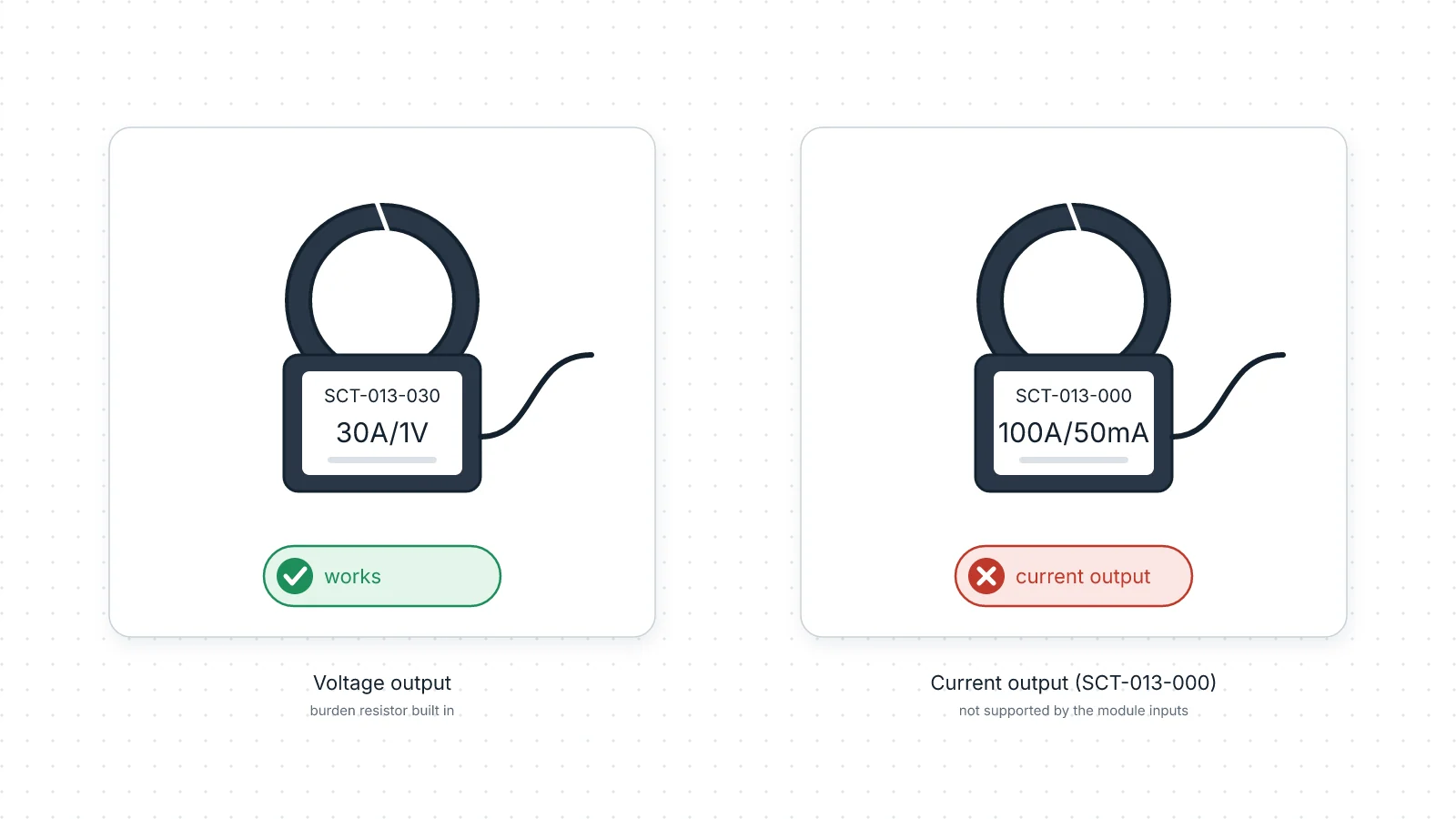
If the label on your clamp gives its output in volts (for example "30A/1V") and the rating is one of the seven below, it works with RBgrid. If it gives a current in milliamps ("100A/50mA"), it's the current-output SCT-013-000, and it doesn't.
The rbAmp Basic modules for SCT-013 work with seven voltage-output models, each giving 1 V at its rated current:
| Model | Rated current |
|---|---|
| SCT-013-005 | 5 A |
| SCT-013-010 | 10 A |
| SCT-013-020 | 20 A |
| SCT-013-030 | 30 A |
| SCT-013-050 | 50 A |
| SCT-013-060 | 60 A |
| SCT-013-100 | 100 A |
Other models aren't offered, including the current-output SCT-013-000 and a 15 A version.
How to read the label
On YHDC clamps (the original SCT-013 maker), the label gives the rating and the output:
- Voltage output (works): the output is in volts, for example "30A/1V". The number before the slash is the rated current. These clamps have the burden resistor built in: the small resistor that turns the clamp's current into a voltage.
- Current output (doesn't work): the output is in milliamps, for example "100A/50mA". That's the SCT-013-000.
If your clamp is another brand, use the same test: milliamps on the label means a current output. Keep in mind that the module's presets were measured on the listed SCT-013 models; clamps from other makers are not verified, so for the stated characteristics use a listed model. If the output isn't printed as a voltage at all, or there's no label, don't use it: buy one of the listed voltage-output models.
The plug won't tell you: both kinds use the same 3.5 mm jack.
Why the −000 doesn't work
Basic SCT inputs are made and calibrated for the voltage-output models (1 V at rated current). A current-output clamp such as the −000 has no calibration in the module and isn't supported. Adding your own burden resistor to it doesn't change that: the module is not calibrated or tested for a current-output clamp with an added burden resistor.
Never clamp a current-output CT onto a live conductor with its output left unconnected: an open output can develop a high voltage that is dangerous to touch and can damage the clamp.
Which rating to choose
Pick the smallest rating that is at or above the circuit's maximum current. For a single circuit, that's usually its breaker rating; for the whole supply, the main breaker's. At the very bottom of a large clamp's range, readings are less precise. A little above the rated current, the module's input reaches its limit and readings are cut off.
Tell the app which clamp you fitted
On a Basic SCT channel, you choose the clamp model per channel in the app: Current sensor in the point's settings. The list shows the seven models above with their rated currents. The hub writes the matching calibration into the module, so set it to the clamp actually fitted and keep that clamp on that channel. Each channel takes its own model, so different ratings on one module are fine. To check, switch on a load you know, such as a kettle: the point should read about its rated power.
The CT-kit modules are different: they ship with matched clamps, and the app shows their model but doesn't let you change it.
Next
- Set a channel's clamp model
- Sensors and modules
- A power meter for Home Assistant, from flashing to the Energy dashboard
- Which modules?
- The Basic wattmeter for SCT-013 on rbamp.com